Registration Wizard
Tools ▸ Registration Wizard · ■ Blue · needs a camera
What it does
It works out where something already is — a flipped sheet, a part that came back for a second pass, a jig dropped anywhere on the bed — and moves your artwork onto it.
Measured by camera, not eyeballed, and it refuses rather than guesses when the measurement is not good enough.
The three jobs it does
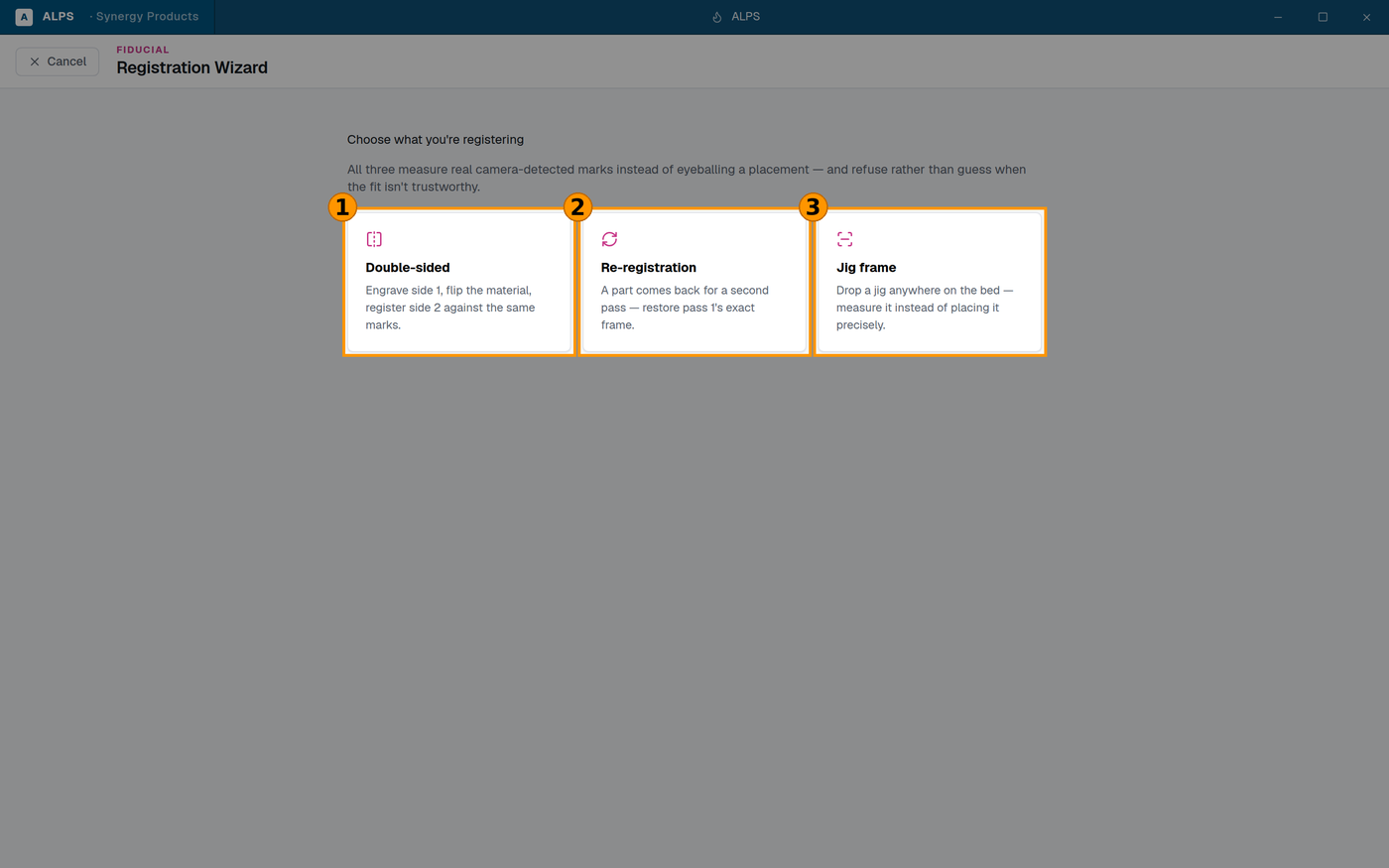
① Engrave, flip, register side 2 against the same marks ② A part that came back — restore pass 1's exact frame ③ Drop a jig anywhere and MEASURE it, instead of placing it precisely
| mode | what it is for |
|---|---|
| Double-sided | engrave side 1, flip the material, register side 2 against the same marks |
| Jig frame | drop a jig anywhere on the bed and measure it, instead of placing it precisely |
| Re-registration | a part that has come off the machine and come back — find it again |
⭐ The idea underneath all three is the same, and it is worth saying out loud: stop trying to put the material in the right place. Put it down, and measure where it went. Every minute spent nudging a sheet against a ruler is a minute spent doing badly what a camera does well.
Step by step
- Put the material or jig on the bed. Roughly is fine — that is the point.
- Open Tools ▸ Registration Wizard and choose the mode.
- Capture a reference photo. (Until you do: No reference photo yet.)
- Point it at the marks. Use marks already on this job if your artwork contains them; otherwise place fiducials.
- Let it solve, then Review before applying.
- Apply.
Reading the solution — the three numbers
Before anything moves, the panel shows what it measured:
- Translation — how far off the material is.
- Rotation — how much it is turned.
- Residual — ⭐ the one that matters. How well the measurement actually fits. Translation and rotation tell you what it is about to do; residual tells you whether to believe it.
⚠ A large residual means the fit is bad, and a bad fit can still produce confident-looking translation and rotation numbers. That is the failure mode to know about: the correction looks plausible and is wrong. If the residual is poor, do not apply it — find out why.
Common causes: a mark obscured or dirty, the material not flat, marks detected in the wrong order, or a mark that is not where the job thinks it is.
⛔ Review before applying, every time
The panel offers the review step deliberately. Use it. Applying a registration moves your entire job; a wrong one puts the whole thing somewhere the material is not, and on a second-pass job that means scrapping a part that already has work in it.
⭐ Refusing is a feature here. If the wizard declines to solve, it has told you something true — the information it needed was not in the photo. Re-shoot it rather than working around it.
Double-sided, in practice
The flip is the part that goes wrong.
- Flip about a known edge, and the same edge every time.
- Keep the registration marks on the material, not on the bed or a jig, or you have measured the bed rather than the part.
- ⚠ Anything asymmetric about the material — a bevel, a protective film on one face only, a taper — changes where the surface sits after the flip. Re-focus after flipping.
Related
- Fixture Maker (
fixture-maker.md) — for repeat work, a jig plus Jig frame mode is the fastest combination in ALPS: the jig holds the parts, the camera finds the jig. - Shape Match (
shape-match.md) — many parts found approximately, rather than one measured precisely. - Bed Camera Calibration (
bed-camera-calibration.md) — ⚠ required first. Every number this tool reports comes through the camera calibration; an uncalibrated camera makes all of it meaningless.